
FOX 8 Weather
Gray MediaWeather
4.7999.00 Reviews
- Version
- 6.2.512
- Installs
- 100.00K
- Age Rating
- Everyone
Screenshots
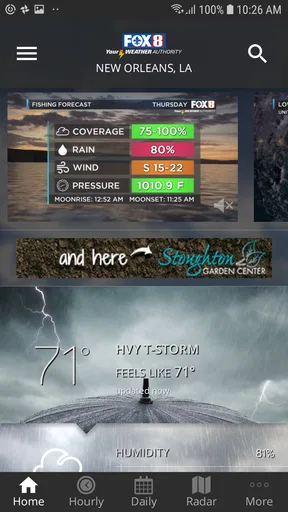
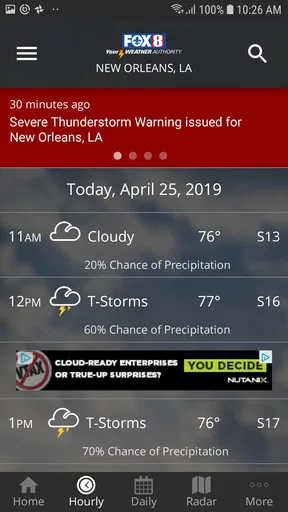
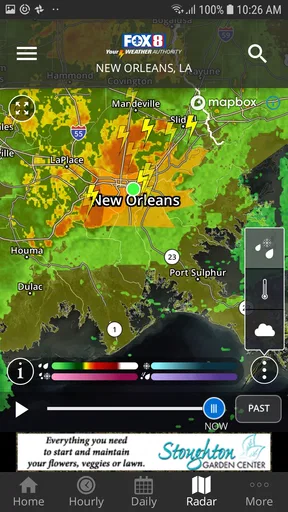
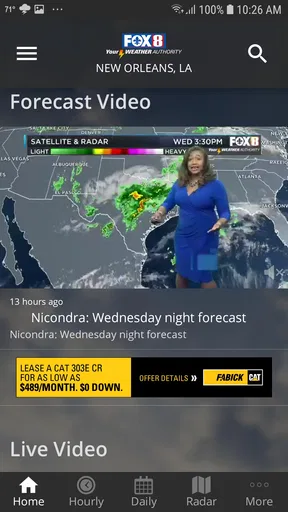
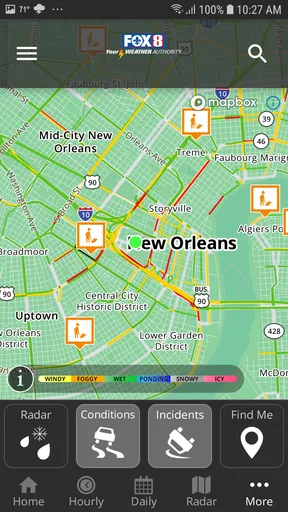
Our Review of FOX 8 Weather
 Analysis by Appyee
I tend to judge a weather app by what happens when I am already late, standing near the door, and trying to decide whether a light jacket is enough. In that situation, FOX 8 Weather feels focused rather than overloaded. It is a free weather app from Gray Media, built around the FOX 8 local weather service, and its appeal is straightforward: open it, check the conditions, and make a practical decision without wandering through a general-purpose news or search app.
That narrow purpose is its biggest strength. I would not install it expecting a complete replacement for every weather tool on my phone. I see it as a useful local companion for people who want weather information connected to the FOX 8 experience. The app is rated for Everyone, has reached over one hundred thousand installs, and holds a 4.7 average from around three thousand seven hundred ratings. Those figures suggest that it has found a dependable audience, but they do not remove the need to decide whether its local focus matches your routine.
How FOX 8 Weather works in a shared household
The most natural way I imagine using this app is on a household device that several people pick up during the day. One person checks the morning conditions before leaving for work, another looks at the forecast before taking children outside, and someone else opens it before an evening errand. Because weather is a shared concern, a simple interface matters more here than a long list of extras.
That shared-device scenario also reveals an important boundary: the app should be treated as a weather reference, not as a family coordination system. It can help everyone look at the same current conditions, but I would not assume that one person’s choices, alerts, or preferences automatically become a household plan. If your family needs a formal schedule, shared reminders, or a place to confirm who is picking someone up, those jobs belong in a calendar or messaging app alongside the weather tool.
I like this separation because it prevents a common mistake. A forecast can inform a decision, but it cannot guarantee that a road will be comfortable, a child will stay dry, or an outdoor appointment will go smoothly. In my experience, the best household routine is to check FOX 8 Weather, discuss the practical consequence, and then record the decision somewhere everyone already uses.
One realistic morning routine
Imagine a parent checking the app while breakfast is being prepared. The question is not simply whether it will rain. The useful questions are whether the walk to school needs extra time, whether outdoor shoes are sensible, and whether an afternoon plan should remain flexible. I would open the app early, look at the current conditions, review the expected change through the day, and then check again before leaving if the weather appears unsettled.
That second check is a small but valuable habit. Forecasts are planning aids, not promises, and a single glance several hours before leaving can become outdated. The app works best when it supports this quick reassessment rather than encouraging someone to treat the first forecast as final. For a shared household, saying “check it again before we go” is more useful than pretending the app can settle every decision in advance.
Another practical use is coordinating outdoor chores. If one person wants to wash a car, work in the garden, or take a dog for a longer walk, the app provides a common starting point for the conversation. I would still consider local surroundings, shade, wind exposure, and how quickly conditions are changing. The value is not that it makes those judgments for me; it reduces the time needed to begin making them.
Setup, boundaries, and everyday trust
FOX 8 Weather is available for Android and is free to use. Gray Media is the developer, and the current version is 6.2.512, with Android 9 as the minimum operating system. That makes the compatibility question fairly easy for many Android users: if the phone is running a recent enough system, the app is positioned as a light, accessible installation rather than a specialized tool requiring newer hardware.
I would still approach setup deliberately on a shared phone. The first step is to make sure the device’s location and notification choices match the household’s expectations. Weather apps can become annoying when every person receives the same interruption, especially on a phone used by several people. If notifications are available on the device, I would decide together who actually needs them and who prefers to open the app manually.
This is also where account boundaries matter. I would not let a shared household phone blur who is responsible for acting on a warning or change in conditions. A teenager might check the weather before cycling, while an adult decides whether a younger child’s outdoor activity should continue. The app can be part of that discussion, but it should not be treated as proof that every family member has seen or understood the same information.
For a personal phone, the setup can be simpler. I would keep the app available for quick local checks and avoid turning it into the only source used for major travel or safety decisions. For a shared device, I would place it where everyone can find it, agree on a basic checking routine, and avoid assuming that one person’s preferred settings suit everyone else.
What I would check before relying on it
Before making it part of a daily routine, I would test the app in the places where the household actually needs it. Check it at home, then compare what it shows with the conditions outside during a normal day. Open it before commuting, before an outdoor appointment, and during a period of changing weather. This is not about demanding perfect prediction; it is about learning whether the app’s presentation is clear enough for your decisions.
I would also pay attention to how quickly each person can find the information they need. An adult who wants a fast glance may prefer a different tool from a child who needs a very simple explanation. If someone in the household struggles to interpret precipitation, wind, or temperature changes, I would explain the symbols and discuss what they mean in real life instead of assuming that a colorful forecast is self-explanatory.
A useful advanced habit is to compare the forecast with the timing of the activity, not just the date. A dry morning does not automatically mean a dry afternoon, and a comfortable current temperature may not describe the conditions when someone returns home. I find that this time-based thinking makes a weather app much more useful than simply asking whether the day is “good” or “bad.”
Coordination without turning the app into a family planner
FOX 8 Weather can support coordination when everyone understands its role. For example, one household member can check conditions before a shared trip, then send a short message with the practical conclusion: leave earlier, bring rain gear, or keep the outdoor plan flexible. The app supplies the information; the household communication tool carries the decision.
This division is especially helpful when people use different phones. One person may prefer Android, another may rely on a different weather service, and a child may only hear the result verbally. I would not expect the app itself to create a synchronized family view. Instead, I would use it as the local reference for the person who normally monitors FOX 8 weather, then communicate the important takeaway in plain language.
There is a subtle trade-off here. A dedicated local weather app can feel more relevant than a broad search result, but a general weather platform may be more convenient when a family is traveling across several regions. If everyone is leaving the local area, I would compare locations carefully and avoid assuming that the local FOX 8 context is equally useful at the destination. For nearby routines, local focus is an advantage; for complex travel, a broader tool may be better.
I also would not use the app as a substitute for direct confirmation of an event. If a school, employer, sports club, or venue changes its schedule, that organization’s message is the authority for the schedule itself. FOX 8 Weather can help explain why a change might be sensible, but it does not replace the organizer’s communication.
Where it fits beside other weather choices
Compared with the built-in weather screen on a phone, FOX 8 Weather feels more intentional for someone who already follows the FOX 8 local weather service. The built-in option may be faster for a single glance or more convenient when switching among many cities. I would choose FOX 8 Weather when I want a dedicated local weather experience rather than a generic temperature card.
Compared with large national weather apps, its appeal is less about trying to cover every possible use and more about keeping the local forecast close at hand. National services can be stronger for extensive maps, travel planning, or comparing distant locations. If those are your priorities, I would not install this app merely because it is free. I would choose it when the FOX 8 local perspective is the part I actually want to consult.
Compared with searching the web, the app removes a step. I do not need to decide which result is relevant every time I want a quick check. That convenience matters during a busy morning. The trade-off is that a search engine is more flexible for unusual questions, multiple destinations, and broader context. In my routine, I would keep both approaches available rather than forcing one tool to handle every weather-related question.
Age, trust, and sensible use
The Everyone content rating makes FOX 8 Weather suitable in an age context for a household with children, at least as a general weather reference. A young user can open it to see what the day looks like, but I would still teach them how to turn information into a safe choice. “Rain is likely” might mean a coat, extra travel time, or staying with an adult, depending on the activity.
That teaching point matters more than the age label. Children may read a forecast as certainty, while adults are more likely to understand that conditions can change. I would encourage younger users to check with a parent or another responsible adult before changing plans, especially for water activities, long walks, cycling, or travel. The app can build useful awareness without making a child responsible for interpreting every risk alone.
For older relatives, the question is clarity. A shared device can make the app easy to access, but only if the information is presented in a way they understand. I would sit with them once, show where to find the current conditions and forecast, and agree on what they should do if the weather becomes concerning. That kind of household orientation is more reliable than assuming that installation equals confidence.
Trust should also be practical rather than absolute. I trust a weather app as one input into a decision, not as a guarantee. If conditions are severe, changing quickly, or important to travel safety, I would consult official local instructions and direct alerts as well. The app is most valuable for ordinary planning: deciding what to wear, when to leave, whether to carry rain protection, and whether an outdoor plan deserves a backup.
Small habits that make the app more useful
My first tip is to check at two meaningful moments instead of repeatedly refreshing without a purpose: once while planning and once shortly before leaving. This reduces notification fatigue and keeps the forecast connected to an actual decision. It is a better household habit than having everyone check independently all day.
My second tip is to translate the forecast into an action. Rather than telling a child or housemate that the temperature will change, say what that means for clothing, transport, or timing. This makes the app useful even for people who do not enjoy reading weather details.
My third tip is to keep a backup plan for activities that depend heavily on conditions. If a picnic, sports practice, or outdoor repair job cannot move indoors, use the forecast to choose a review time and a cancellation threshold. Do not let a favorable early reading create false confidence about the whole day.
My fourth tip is to separate local routine from travel. I would use FOX 8 Weather confidently for the place it is intended to serve in my daily life, but when crossing regions I would check the destination directly and compare sources if the journey matters. That simple boundary prevents a local app from being stretched beyond the job it performs best.
My household verdict
After using FOX 8 Weather as a focused weather companion, I see it as a good fit for someone who wants a free, local-oriented app from Gray Media and already values the FOX 8 weather connection. Its strongest role is quick household planning: checking the morning, discussing an outdoor activity, and making a sensible adjustment before leaving.
I would recommend it to a person who prefers a dedicated weather app over repeatedly searching the web, especially when local relevance matters more than a huge collection of advanced tools. The 4.7 average and roughly three thousand seven hundred ratings indicate strong user approval, while the app’s long presence since December 20, 2011, gives it an established place in this category. Its current version, 6.2.512, supports the impression of an actively maintained product without changing its basic identity.
I would skip it if my main need were international travel, detailed multi-location planning, extensive weather analysis, or a fully shared family dashboard. In those cases, a broader weather service or a separate coordination app may serve me better. I would also skip relying on it alone for serious safety decisions, because no everyday forecast app should replace official instructions or direct communication during dangerous conditions.
For a household, my final recommendation is to use FOX 8 Weather as the information step, then keep responsibility and communication clear. Let one person check it, share the practical conclusion, and confirm important changes through the appropriate channel. The app works best when it informs a household decision without pretending to become the household decision-maker. That is a modest role, but for daily weather planning, it is exactly the role I would want.
Verdict
Strengths of FOX 8 Weather
- Accurate local forecasts for Cleveland and Northeast Ohio.
- Live radar helps track storms in real time.
- Severe weather alerts can warn you before conditions worsen.
- Hourly and extended forecasts are easy to check.
- Weather videos and news add useful local context.
Limitations of FOX 8 Weather
- Some features may require location access to work properly.
- Push alerts can become frequent during active weather.
- Advertising may take up screen space while browsing.
- Forecast accuracy can vary for rapidly changing conditions.
- The app may use extra battery when location and alerts are enabled.
Other Releases by Gray Media
View All
KY3 Weather
Weather4.6

Telemundo Atlanta
News & Magazines4.3

FOX5 Vegas - Las Vegas News
News & Magazines2.9

WAFF 48 First Alert Weather
Weather4.6
Similar Picks in This Category
View All
Weather - By Xiaomi
Xiaomi Inc.4.1

Weather & Radar Forecast
WetterOnline4.8

Weather
OneLouder Apps4.6

AccuWeather: Weather Radar
AccuWeather3.6

The Weather Channel - Radar
The Weather Channel4.6

1Weather Forecasts & Radar
OneLouder Apps4.3
Frequently Asked Questions
What is FOX 8 Weather?
FOX 8 Weather is a weather forecast app designed to provide current conditions, hourly updates, extended forecasts, radar imagery, severe weather alerts, and local meteorologist reports. It is especially useful for people who want weather information focused on the FOX 8 viewing area, with updates that can help users plan commutes, outdoor activities, travel, and daily routines.
What features does the FOX 8 Weather app offer?
The app typically includes live weather conditions, hourly and multi-day forecasts, interactive radar maps, satellite or precipitation views, location-based forecasts, video updates, and warnings for severe weather. Depending on the version and region, users may also find school or event information, forecast discussions, tropical updates, and notifications for storms, flooding, high winds, or other hazardous conditions.
Does FOX 8 Weather provide severe weather alerts?
Yes, FOX 8 Weather is intended to keep users informed about important weather threats, including thunderstorms, tornadoes, hurricanes, flooding, winter storms, and extreme temperatures. Users may need to allow notifications and location access for the most relevant alerts. The app should complement, rather than replace, official emergency instructions and local authorities during dangerous conditions.
Does FOX 8 Weather require my location?
Location access is optional, but enabling it can make the app more convenient and accurate for everyday use. With permission, FOX 8 Weather can display conditions and forecasts for your current area and may deliver location-relevant warnings. If privacy is a concern, you can usually deny access and manually select a city, although some location-based features may be limited.
Is FOX 8 Weather free to download and use?
FOX 8 Weather is generally available as a free download, allowing users to access core forecasts, radar, weather reports, and alerts without purchasing the app. However, the experience may include advertising, and certain content or features can vary by device, region, app version, or station coverage. Check the Google Play Store or Apple App Store listing for current details.
